> ## Documentation Index
> Fetch the complete documentation index at: https://help.formsdeck.com/llms.txt
> Use this file to discover all available pages before exploring further.
# Share WhatsApp form URL
> How to share your form using the short link
## Share Section
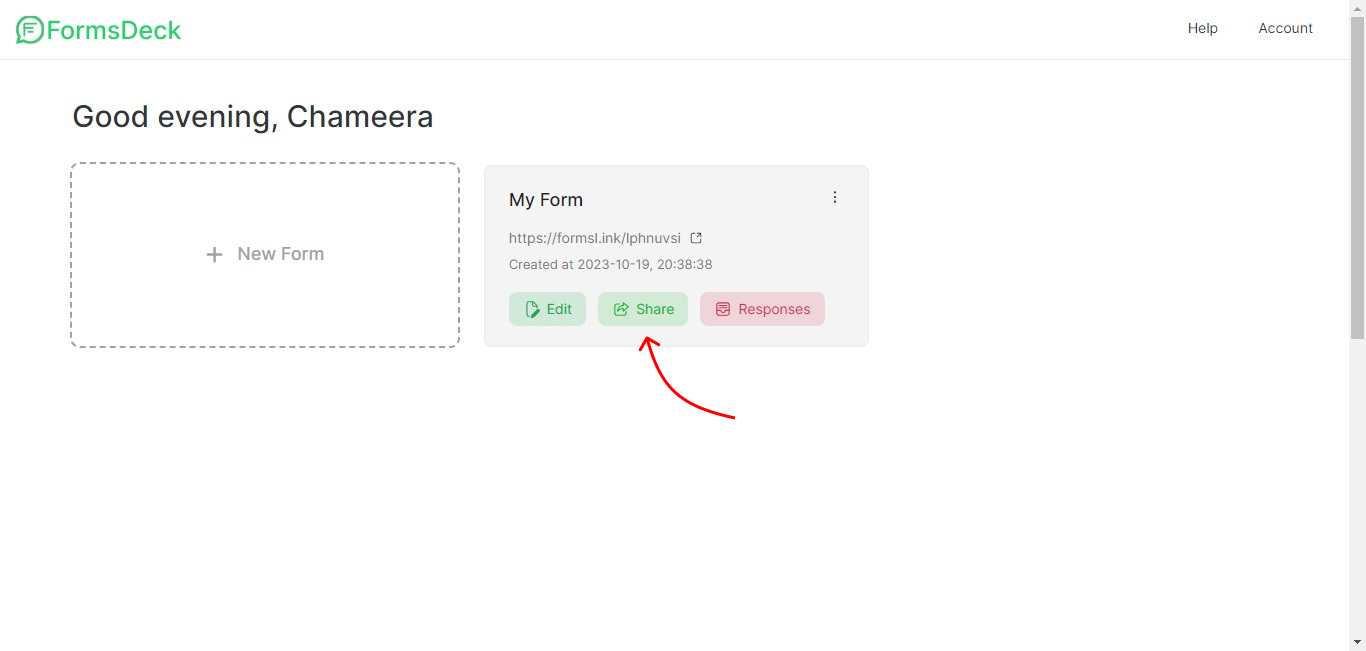
You can click on the Share button inside the WhatsApp form to go to the Share section
 ## Copy Link
The first option in Share is to copy your WhatsApp form URL
## Copy Link
The first option in Share is to copy your WhatsApp form URL
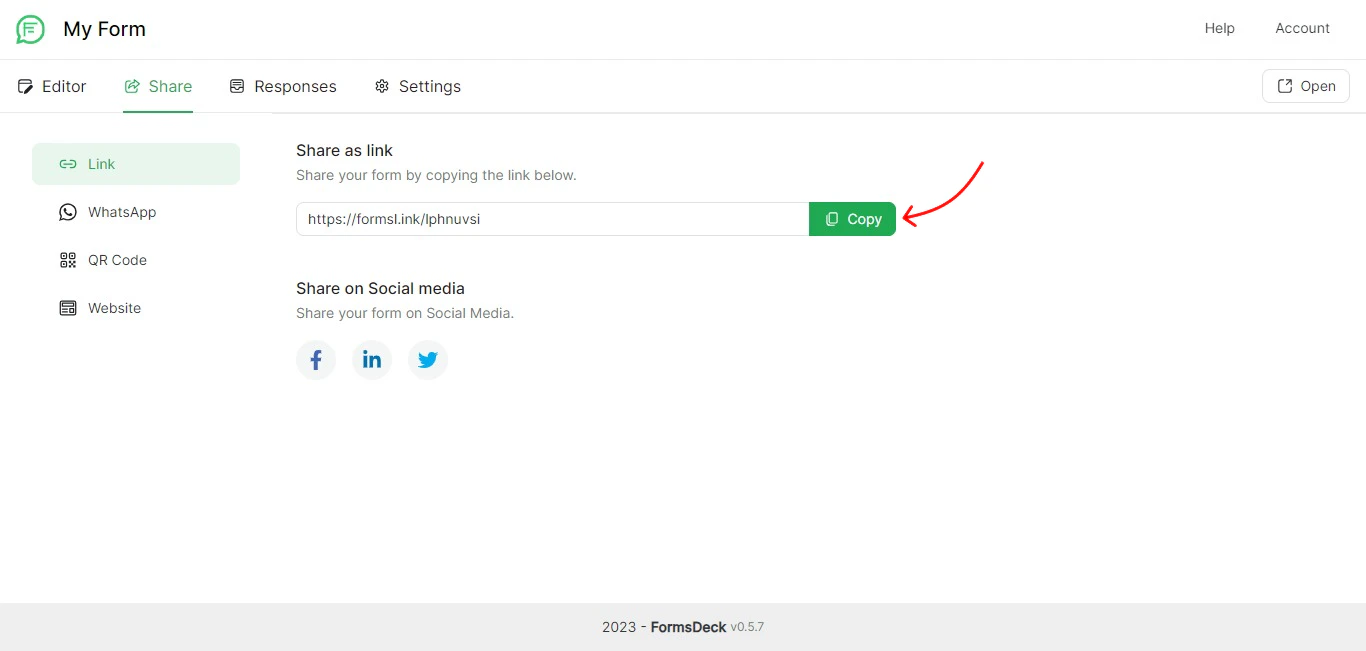 After copying the link you can paste it anywhere you want to get data from customers. You can also share directly to social media by clicking on the social media icons listed.